搜索到
1
篇与
的结果
-
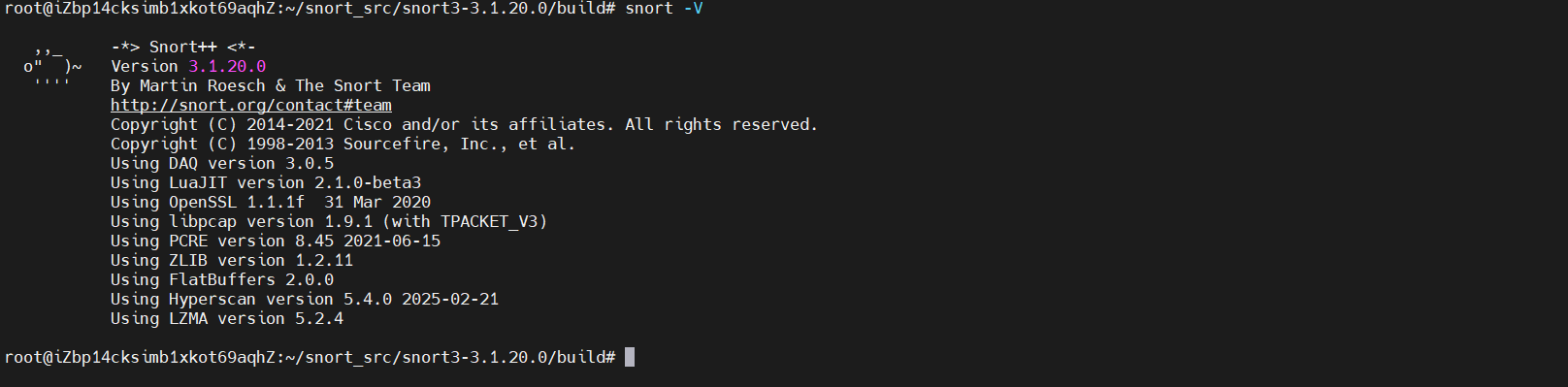
 设备部署-NIDS入侵检测系统-Snort&Suricata IDS是什么IDS分两类,一种是NIDS(NetWork Instruction Detection System),一种是HIDS(Host Instruction Detection System)基于主机的入侵检测系统(HIDS)–该系统将检查网络中计算机上的事件基于网络的入侵检测系统(NIDS)–该系统将检查您网络上的流量恶意问题。本篇就来介绍两个开源的NIDS系统:Snort和SuricataSnort一个开源的网络入侵检测系统(IDS)和入侵防御系统(IPS),它可以捕获通讯流量并对其做协议解析,识别或防御通讯流量中可疑或恶意的行为。国内大部分厂商基于流量的IDS的数据包捕获、协议解析、检测引擎等关键模块都是在此基础上做修改和扩展优化。官网地址:Snort - Network Intrusion Detection & Prevention SystemSnort3环境搭建sudo apt-get update && sudo apt-get dist-upgrade -y sudo apt-get install -y libpcap-dev libpcre3-dev libdumbnet-dev zlib1g-dev sudo apt-get install -y build-essential autotools-dev libdumbnet-dev libluajit-5.1-dev libpcap-dev zlib1g-dev pkg-config libhwloc-dev cmake liblzma-dev openssl libssl-dev cpputest libsqlite3-dev libtool uuid-dev git autoconf bison flex libcmocka-dev libnetfilter-queue-dev libunwind-dev libmnl-dev ethtoolsudo dpkg-reconfigure tzdatamkdir ~/snort_src cd ~/snort_srccd ~/snort_src wget https://github.com/rurban/safeclib/releases/download/v02092020/libsafec-02092020.tar.gz tar -xzvf libsafec-02092020.tar.gz cd libsafec-02092020.0-g6d921f ./configure make sudo make install安装HyperscanSnort 3使用Hyperscan进行快速模式匹配。可以从Ubuntu存储库安装一个旧版本的Hyperscan,但是Hyperscan对Snort的操作和性能至关重要,最好编译Hyperscan的最新稳定版本。Hyperscan有一个需求数量,包括PCRE、gper工具、ragel和Boost库。cd ~/snort_src/ wget https://nchc.dl.sourceforge.net/project/pcre/pcre/8.45/pcre-8.45.tar.gz tar -xzvf pcre-8.45.tar.gz cd pcre-8.45 ./configure make sudo make installcd ~/snort_src wget https://github.com/gperftools/gperftools/releases/download/gperftools-2.9.1/gperftools-2.9.1.tar.gz tar -xzvf gperftools-2.9.1.tar.gz cd gperftools-2.9.1 ./configure make sudo make installcd ~/snort_src wget http://www.colm.net/files/ragel/ragel-6.10.tar.gz tar -xzvf ragel-6.10.tar.gz cd ragel-6.10 ./configure make sudo make installcd ~/snort_src wget https://boostorg.jfrog.io/artifactory/main/release/1.78.0/source/boost_1_78_0.tar.gz tar -xvzf boost_1_78_0.tar.gzcd ~/snort_src wget https://github.com/intel/hyperscan/archive/refs/tags/v5.4.0.tar.gz tar -xvzf v5.4.0.tar.gz mkdir ~/snort_src/hyperscan-5.4.0-build cd hyperscan-5.4.0-build/ cmake -DCMAKE_INSTALL_PREFIX=/usr/local -DBOOST_ROOT=~/snort_src/boost_1_78_0/ ../hyperscan-5.4.0 make sudo make install安装flatbufferscd ~/snort_src wget https://github.com/google/flatbuffers/archive/refs/tags/v2.0.0.tar.gz -O flatbuffers-v2.0.0.tar.gz tar -xzvf flatbuffers-v2.0.0.tar.gz mkdir flatbuffers-build cd flatbuffers-build cmake ../flatbuffers-2.0.0 make sudo make install安装DAQ安装数据采集库(DAQ),Snort3使用的数据采集卡与Snort 2.9.0系列不同cd ~/snort_src # 可以根据自身下载最新的库 wget https://github.com/snort3/libdaq/archive/refs/tags/v3.0.5.tar.gz tar -xzvf v3.0.5.tar.gz cd libdaq-3.0.5 ./bootstrap ./configure make sudo make installsudo ldconfig最后源码安装Snort 3如果对启用其他编译时功能感兴趣,例如处理大型(超过2GB)PCAP文件的能力,或者新的命令行shell:运行./configure cmake.sh--帮助列出所有可选功能,并将它们附加到下面的./configure\u cmake.sh命令中。在Snort网站上查看Snort3的更新版本cd ~/snort_src wget https://github.com/snort3/snort3/archive/refs/tags/3.1.20.0.tar.gz tar -xzvf 3.1.20.0.tar.gz cd snort3-3.1.20.0 ./configure_cmake.sh --prefix=/usr/local --enable-tcmalloc cd build make sudo make install /usr/local/bin/snort -V使用默认配置文件测试Snrotsnort -c /usr/local/etc/snort/snort.lua减少IDS的数据包eth0是我要监听的网卡,根据自己的网卡设置# 检查这些接口的large-receive-o load(LRO)和generic-receive-offload(GRO)的状态,使用ethtool检查状态 sudo ethtool -k eth0 | grep receive-offloadsudo vi /lib/systemd/system/ethtool.service##内容,输入以下信息 [Unit] Description=Ethtool Configration for Network Interface [Service] Requires=network.target Type=oneshot ExecStart=/sbin/ethtool -K eth0 gro off ExecStart=/sbin/ethtool -K eth0 lro off [Install] WantedBy=multi-user.targetsudo systemctl enable ethtool sudo service ethtool start创建一些配置Snort策略的文件夹sudo mkdir /usr/local/etc/rules sudo mkdir /usr/local/etc/so_rules/ sudo mkdir /usr/local/etc/lists/ sudo touch /usr/local/etc/rules/local.rules sudo touch /usr/local/etc/lists/default.blocklist sudo mkdir /var/log/snortsudo vim /usr/local/etc/rules/local.rulesalert icmp any any -> any any (msg:"ICMP Traffic Detected"; sid:10000001;rev:1;)/usr/local/etc/snort/snort.luasnort -c /usr/local/etc/snort/snort.lua -A alert_fast -i eth0 -l /var/log/snort/ -R /usr/local/etc/rules/local.rulesSnort运行帮助snort [-options] <filter options>Options: -A 设置报警模式 Set alert mode: fast, full, console, test or none (alert file alerts only) "unsock" enables UNIX socket logging (experimental). -b 以tcpdump格式记录Log包,用该格式速度快 Log packets in tcpdump format (much faster!) -B <mask> 使用CIDR掩码混淆警报和包转储中的IP地址 Obfuscated IP addresses in alerts and packet dumps using CIDR mask -c <rules> 指定snort配置文件所在的路径,如 `snort -c /etc/snort/snort.conf` Use Rules File <rules> -C 只打印带有字符数据的有效负载(没有十六进制) Print out payloads with character data only (no hex) -d 显示应用层数据 Dump the Application Layer -D 在后台(守护进程)模式下运行Snort Run Snort in background (daemon) mode -e 显示数据链路层头部信息 Display the second layer header info -f 在二进制日志写之后,不进行fflush()调用 Turn off fflush() calls after binary log writes -F <bpf> 读取伯克利包过滤器文件 Read BPF filters from file <bpf> -g <gname> 指定运行snort的组 Run snort gid as <gname> group (or gid) after initialization -G <0xid> Log Identifier (to uniquely id events for multiple snorts) -h <hn> 指定snort.conf里面定义的变量HOME_NET的值。对于-l -B一起使用且运行模式为IDS时,不能更改HONE_NET Set home network = <hn> (for use with -l or -B, does NOT change $HOME_NET in IDS mode) -H Make hash tables deterministic. -i <if> 监听<if>指定的网络接口 Listen on interface <if> -I 将网络接口名添加到警报输出中 Add Interface name to alert output -k <mode> 检验模式 Checksum mode (all,noip,notcp,noudp,noicmp,none) -K <mode> 日志模式 Logging mode (pcap[default],ascii,none) -l <ld> 指定日志存储的目录 Log to directory <ld> -L <file> 记录日志到指定的文件中 Log to this tcpdump file -M 将消息记录到syslog,不包含警报消息 Log messages to syslog (not alerts) -m <umask> Set umask = <umask> -n <cnt> 接收到<cnt>指定的包数后退出snort Exit after receiving <cnt> packets -N 关闭日志记录(报警仍然会记录) Turn off logging (alerts still work) -O 混淆已记录的IP地址 Obfuscate the logged IP addresses -p 禁用混杂模式嗅探 Disable promiscuous mode sniffing -P <snap> 设置snort的抓包截断长度,默认为1514 Set explicit snaplen of packet (default: 1514) -q 退出程序时,屏幕不显示初始化信息和最后的汇总统计信息 Quiet. Don't show banner and status report -Q 以内联模式运行 Enable inline mode operation. -r <tf> 读取并处理指定的tcpdump文件(snort的二进制日志文件) Read and process tcpdump file <tf> -R <id> Include 'id' in snort_intf<id>.pid file name -s 将警报消息记录到syslog Log alert messages to syslog -S <n=v> 设置规则文件的变量n的值为v Set rules file variable n equal to value v -t <dir> Chroots process to <dir> after initialization -T 测试并报告当前Snort的配置是否有问题 Test and report on the current Snort configuration -u <uname> 初始化后以<uname>用户的身份运行snort Run snort uid as <uname> user (or uid) after initialization -U 使用UTC作为时间戳 Use UTC for timestamps -v 终端显示打印 Be verbose -V 显示snort版本 Show version number -X 从链路层开始存储原始数据包数据 Dump the raw packet data starting at the link layer -x 如果Snort出现配置问题,则退出 Exit if Snort configuration problems occur -y 在警报和日志文件中包含年份时间戳 Include year in timestamp in the alert and log files -Z <file> 设置预处理器文件路径和名称 Set the performonitor preprocessor file path and name -? 显示snort详细用法 Show this information <Filter Options> are standard BPF options, as seen in TCPDump Longname options and their corresponding single char version --logid <0xid> Same as -G --perfmon-file <file> Same as -Z --pid-path <dir> Specify the directory for the Snort PID file --snaplen <snap> Same as -P --help Same as -? --version Same as -V --alert-before-pass Process alert, drop, sdrop, or reject before pass, default is pass before alert, drop,... --treat-drop-as-alert 在启动期间将drop、sdrop和reject规则转换为警报规则 Converts drop, sdrop, and reject rules into alert rules during startup --treat-drop-as-ignore Use drop, sdrop, and reject rules to ignore session traffic when not inline. --process-all-events Process all queued events (drop, alert,...), default stops after 1st action group --enable-inline-test Enable Inline-Test Mode Operation --dynamic-engine-lib <file> 加载指定动态检测引擎 Load a dynamic detection engine --dynamic-engine-lib-dir <path> 从指定目录中加载所有动态引擎 Load all dynamic engines from directory --dynamic-detection-lib <file> 加载指定动态规则库 Load a dynamic rules library --dynamic-detection-lib-dir <path> 从指定目录中加载所有动态规则库 Load all dynamic rules libraries from directory --dump-dynamic-rules <path> Creates stub rule files of all loaded rules libraries --dynamic-preprocessor-lib <file> 加载指定动态预处理器库 Load a dynamic preprocessor library --dynamic-preprocessor-lib-dir <path> 从指定目录中加载所有动态预处理器库 Load all dynamic preprocessor libraries from directory --dynamic-output-lib <file> 加载指定动态输出库 Load a dynamic output library --dynamic-output-lib-dir <path> 从指定目录中加载所有动态输出库 Load all dynamic output libraries from directory --create-pidfile Create PID file, even when not in Daemon mode --nolock-pidfile Do not try to lock Snort PID file --no-interface-pidfile Do not include the interface name in Snort PID file --disable-attribute-reload-thread 不创建一个线程来重新加载属性表 Do not create a thread to reload the attribute table --pcap-single <tf> Same as -r. --pcap-file <file> 指定要读取的pcaps文件名称 file that contains a list of pcaps to read - read mode is implied. --pcap-list "<list>" 指定要读取的pcaps文件列表,通过空格分隔 a space separated list of pcaps to read - read mode is implied. --pcap-dir <dir> 递归查找pcaps的目录,即指定目录,该目录下的pcaps文件都将被读取 a directory to recurse to look for pcaps - read mode is implied. --pcap-filter <filter> filter to apply when getting pcaps from file or directory. --pcap-no-filter reset to use no filter when getting pcaps from file or directory. --pcap-loop <count> this option will read the pcaps specified on command line continuously. for <count> times. A value of 0 will read until Snort is terminated. --pcap-reset if reading multiple pcaps, reset snort to post-configuration state before reading next pcap. --pcap-reload if reading multiple pcaps, reload snort config between pcaps. --pcap-show print a line saying what pcap is currently being read. --exit-check <count> Signal termination after <count> callbacks from DAQ_Acquire(), showing the time it takes from signaling until DAQ_Stop() is called. --conf-error-out Same as -x --enable-mpls-multicast Allow multicast MPLS --enable-mpls-overlapping-ip Handle overlapping IPs within MPLS clouds --max-mpls-labelchain-len Specify the max MPLS label chain --mpls-payload-type Specify the protocol (ipv4, ipv6, ethernet) that is encapsulated by MPLS --require-rule-sid Require that all snort rules have SID specified. --daq <type> 选择数据包采集模块(默认为pcap) Select packet acquisition module (default is pcap). --daq-mode <mode> 选择数据采集(DAQ)操作模式 Select the DAQ operating mode. --daq-var <name=value> 指定额外的DAQ变量 Specify extra DAQ configuration variable. --daq-dir <dir> 指定DAQ库文件路径 Tell snort where to find desired DAQ. --daq-list[=<dir>] 列出可用的数据包采集模块。默认是静态模块。 List packet acquisition modules available in dir. Default is static modules only. --dirty-pig 关机时不要刷新数据包并释放内存 Don't flush packets and release memory on shutdown. --cs-dir <dir> Directory to use for control socket. --ha-peer Activate live high-availability state sharing with peer. --ha-out <file> 将高可用性事件写入此文件 Write high-availability events to this file. --ha-in <file> 在启动(warm-start)时从该文件中读取高可用性事件 Read high-availability events from this file on startup (warm-start). --suppress-config-log Suppress configuration information output.Snort规则编写Snort 3 Rule Writing Guide - Snort 3 Rule Writing GuideSnort的响应机制alert:警报并记录(适用于需要立即采取行动的情况下)pass:忽略(适用于明确允许的流量,不进行检测)log:记录(适用于需要记录流量但不采取其他行动的情况下)activation:报警并启动另一个动态规则链dynamic:由其他activate动作的规则调用,在正常情况下,他们不会被用来检测包。一个动态规则仅能被一个"activate"动作激活。Snort规则组成规则头(Rule Header)和规则选项(Rule Options)组成Snort规则规则头定义了流量匹配的基本信息,如协议、源和目的地址、端口等。规则选项则包含了更详细的检测条件和响应动作。规则头规则头的基本格式如下:<action> <protocol> <src_ip> <src_port> -> <dst_ip> <dst_port>action:规则动作,常见的有alert(报警)、log(记录日志)、pass(通过)等。protocol:协议类型,如TCP、UDP、ICMP等。src_ip:源IP地址,可以是具体的IP,也可以是CIDR表示法的网段,还可以使用any表示任何地址。src_port:源端口号,可以是具体端口号,也可以使用any表示任何端口。dst_ip:目的IP地址,含义同src_ip。dst_port:目的端口号,含义同src_port。示例规则头:alert tcp any any -> 192.168.1.0/24 80当检测到任何源IP和源端口的TCP流量进入192.168.1.0/24网段的80端口时,触发报警规则选项规则选项,由一系列键值对组成,使用分号分隔。其格式如下:<key>:<value>常见的规则选项包括:msg:报警信息。sid:规则ID,必须唯一。rev:规则版本号。content:匹配数据包中的内容。depth:指定从数据包开始的位置进行匹配。offset:指定匹配的起始位置。nocase:忽略大小写。classtype:分类类型,用于描述规则的性质。示例规则选项:(msg:"Potential SQL Injection"; sid:1000001; rev:1; content:"' or '1'='1"; nocase;)这个就是当数据包中出现' or '1'='1的内容时(无论大小写)触发Potential SQL Injection的告警信息,版本号为1完整示例规则:alert tcp any any -> any 80 (msg:"Potential SQL Injection"; sid:1000001; rev:1; content:"' or '1'='1"; nocase;)其他示例规则SQL注入攻击警告:alert tcp any any -> any 80 (msg:"Possible SQL Injection"; content:"' OR 1=1 --"; http_uri; nocase; sid:10000000123; rev:1;)永恒之蓝特征警告:alert smb any any -> $HOME_NET any (msg:“ET EXPLOIT Possible ETERNALBLUE MS17-010”; flow:to_server,established; content:”|00 00 00 31 ff|SMB|2b 00 00 00 00 18 07 c0|”; depth:16; fast_pattern; content:”|4a 6c 4a 6d 49 68 43 6c 42 73 72 00|”; distance:0; flowbits:set,ETPRO.ETERNALBLUE; flowbits:noalert; classtype:trojan-activity; sid:2024220; rev:1;)参考文章Snort规则 - 鱼儿叁 - 博客园Snort命令行参数详解-CSDN博客Snort的使用二:入侵检测与规则编写_snort规则的应用-CSDN博客Ubuntu22.04安装Snort3并进行网络流量异常检测 - Jikefan - 博客园手写规则检测SQLMAP工具SQLMAP工具流量特征发现UA存在sqlmap关键字编写规则alert tcp $EXTERNAL_NET any -> $HOME_NET [80,443,8080] ( msg:"SQLi Attack - Potential sqlmap Activity Detected"; flow:to_server,established; content:"User-Agent"; http_header; content:"sqlmap", nocase; http_header; metadata:service http; reference:url,github.com/sqlmapproject/sqlmap; classtype:web-application-attack; sid:1000001; rev:1; )特定端口通讯警告alert tcp any 7799 -> any any (msg:"SNORT:visit destport tcp 7799"; sid:201900001; rev:1;)Suricata一个开源的网络入侵检测系统(IDS)和入侵防御系统(IPS),它可以捕获通讯流量并对其做协议解析,识别或防御通讯流量中可疑或恶意的行为。国内大部分厂商基于流量的IDS的数据包捕获、协议解析、检测引擎等关键模块都是在此基础上做修改和扩展优化。项目地址https://github.com/OISF/suricata操作手册2. 快速入门指南 — Suricata 7.0.0-dev 文档环境搭建sudo apt-get install software-properties-common sudo add-apt-repository ppa:oisf/suricata-stable sudo apt-get update sudo apt-get install suricata配置ip addrsudo vim /etc/suricata/suricata.yaml有许多可能的配置选项,我们将重点放在 HOME_NET 变量和网络接口配置。这个 HOME_NET 在大多数情况下,变量应该包括被监视接口的IP地址和正在使用的所有本地网络。默认值已经包括RFC1918网络。172.26.237.55/20 eth0Suricata规则下载入侵检测平台https://github.com/al0ne/suricata-rulesGitHub - ptresearch/AttackDetection: Attack Detection入侵检测之流量分析--suricata规则库来源梳理suricata-update日志文件suricata.log:包含 Suricata 运行时的日志信息,如启动、关闭、规则加载等,用于故障排除和监视。stats.log:包含 Suricata 的统计信息,如流量统计、规则匹配统计等,,用于性能调优和网络活动分析。fast.log:就是告警输出日志了,通常看这个就可以。eve.json:详细的事件记录,以 JSON 格式呈现,包括有关规则匹配事件的详细信息,包括协议解析、源和目标地址、端口、负载数据等,用于深入分析cat /var/log/suricata/fast.log规则检测suricata -c /etc/suricata/suricata.yaml -i eth0 -s /etc/suricata/rules/suricata.rulessuricata -c /etc/suricata/suricata.yaml -i eth0 -s /etc/suricata/rules/Behinder3.rules 自写规则安全运营-Suricata规则学习alert http any any -> any any (msg:"通达OA-handle.php-SQL注入漏洞"; content:"share/handle.php"; http_uri; content:"select"; content:"and"; reference:url,http://example.com/2023-15672; classtype:web-application-attack; sid:20240908; rev:1;) alert http any any -> any any (msg:"sqlmap tools attack"; flow:to_server; content:"User-Agent: sqlmap"; http_header; sid:1000016; rev:1;)alert tls $EXTERNAL_NET any -> $HOME_NET any (msg:"SSLBL: Malicious SSL certificate detected (CobaltStrike C&C)"; tls.fingerprint:"6e:ce:5e:ce:41:92:68:3d:2d:84:e2:5b:0b:a7:e0:4f:9c:b7:eb:7c"; reference:url, sslbl.abuse.ch/ssl-certificates/sha1/6ece5ece4192683d2d84e25b0ba7e04f9cb7eb7c/; sid:902202003; rev:1;) alert tls $EXTERNAL_NET any -> $HOME_NET any (msg:"ET HUNTING Suspicious Empty SSL Certificate - Observed in Cobalt Strike"; flow:established,to_client; tls.cert_subject; bsize:25; content:"C=, ST=, L=, O=, OU=, CN="; endswith; fast_pattern; classtype:targeted-activity; sid:2023629; rev:7; metadata:affected_product Any, attack_target Client_Endpoint, created_at 2016_10_24, deployment Perimeter, performance_impact Low, signature_severity Major, updated_at 2024_03_27;)集成系统镜像-securityonion集成snort/suricata、bro(zeek)、elk、ossec等Security Onion Solutions两者对比其实按照安装成本和操作的简易程度来说,Suricata相对于Snort3来说更加容易上手,Snort3的安装太过麻烦,建议使用Suricata